

 Call us:



Fundamental Illustrations in Adobe Illustrator
-
 By
Kelvin Fosu
- 30/09/2021
Course Description
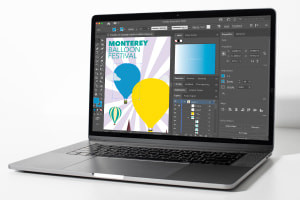
Are you interested in vector arts but don’t know where to start? Illustrators are in high demand in a large variety of fields. The options are endless, from graphic designers and animators to production designers in film, book illustrators, and creative ad designers. But, perhaps, you simply love art and would love to know how to create pieces using Adobe Illustrator. Just like painters who use oil paints to draw beautiful canvases, there are artists out there who create stunning works of art and then sell their work online. If this intrigues you, enrol now for free. This course is designed to introduce you to Adobe Illustrator and teach you how to use its primary tools to create your own vector arts. Learn the foundational principles that will help you create stunning artwork using simple geometric shapes.
This course demonstrates how you can download Adobe Illustrator on your computer and then teaches you how to use its menu, save files, and create digital canvases or artboards, where you will be developing your art. You will then learn to create and manipulate primary shapes, such as circles, squares, rectangles, and triangles. Once you know how to work with these, you will start creating easy works of art, such as a bell, a trophy, a skate shoe, and other everyday items. This foundation helps you become familiar with Illustrator’s basic tools. For example, learn how to use the Pathfinder tool to intersect different shapes, add or extract areas, and even combine different shape patterns. Another important tool you will learn to use is the Shape Builder tool that allows you to intuitively merge, edit, and fill shapes on your artboard.
As you study all of the course’s tutorial videos, you will learn how to access different tools by using shortcuts on your keyboard. The illustrations in these tutorials will also become more and more complex as you get further into the material. You will create images of animals, superheroes and even emojis. Combine colours and learn how to add shadows to give your illustrations depth, making them ‘pop’. This course is easy to follow, and no experience is required. All you need is a willingness to learn and a love for art. You already have the most crucial tool: a creative mind. Now, learn how to use the tools provided by Adobe Illustrator and let your imagination do the rest. This course is entirely free, so you have nothing to lose and everything to gain, including an optional certificate.
What you'll learn in this course?
-
Character Design
-
Design Tools
-
Adobe Illustrator
-
Adobe
Course Curriculum

Kelvin Fosu
Accra, Ghana
$20.00
Course includes:
-
 Duration
6-10 hrs
-
 Modules
3
-
 Certifications
certificate
After you complete the course, receive a digital certificate or request a printed copy shipped to you.
